
![youtube - [Video]](/web/image/product.image/164/image_128/youtube%20-%20%5BVideo%5D?unique=71ca4eb)
Tally Prime TDL | Multi Select Receipt to Sales Voucher | Auto GST Invoice Creation
🚀 Tally Prime TDL | Multi Select Receipt to Sales Voucher | Auto GST Invoice Creation
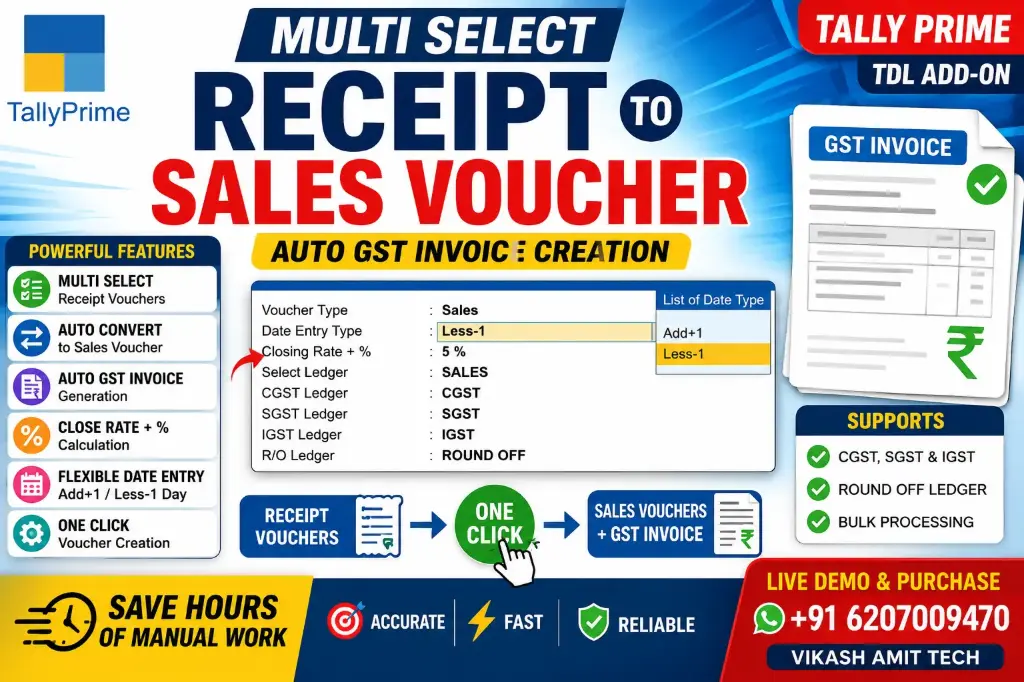
Still creating Sales Vouchers manually from Receipt Vouchers? Now you can automate the entire process with Smart Receipt to Sales Voucher Converter for Tally Prime.
This powerful TDL Add-on lets you select multiple Receipt Vouchers at once and automatically generates GST Sales Invoices in just a single click, saving hours of manual work and eliminating data entry errors.
🔥 Key Features
✅ Multi-Select Receipt Vouchers for bulk processing.
✅ Automatically create Sales Vouchers from selected Receipt Vouchers.
✅ Generate GST Invoices instantly.
✅ Supports CGST, SGST & IGST ledgers.
✅ Automatic Round Off ledger posting.
✅ Select your preferred Sales Ledger.
✅ Flexible Date Entry Options
- Same Date
- Add +1 Day
- Less -1 Day
✅ Closing Rate + Percentage calculation support.
✅ One-click voucher creation.
✅ Fast, accurate and error-free processing.
💯 Benefits
✔ Save Hours of Manual Data Entry
✔ Reduce Human Errors
✔ Faster GST Billing
✔ Bulk Voucher Processing
✔ Easy & User-Friendly Interface
✔ Fully Integrated with Tally Prime
✔ Ideal for Accountants, CA Firms & Businesses
📞 Live Demo & Purchase
VIKASH AMIT TECH
📱 WhatsApp / Call: +91 6207009470
🎥 YouTube: @vikashamittech5733
💬 Interested in this TDL? Contact us today for a live demonstration.
- How to Install the TDL File in Tally
- Step 1. Go to Gateway of Tally.
- Step 2. Then Press Ctrl+Alt+T button
- Step 3. Now Press F4 Button or Click on “Manage Local TDL” button
- Step 4. Now do “Yes” to “Load TDL Files on Startup” option
- Step 5. Now in the next line “List of TDL Files to preload on Startup” Enter the TDL File Path or Location Like “E:/File.tcp”
- Step 6. Now save the settings
- Your TDL File is ready to use.
- Tally Prime TDL