

![youtube - [Video]](/web/image/product.image/177/image_128/youtube%20-%20%5BVideo%5D?unique=9d45136)
- How to Install the TDL File in Tally
- Step 1. Go to Gateway of Tally.
- Step 2. Then Press Ctrl+Alt+T button
- Step 3. Now Press F4 Button or Click on “Manage Local TDL” button
- Step 4. Now do “Yes” to “Load TDL Files on Startup” option
- Step 5. Now in the next line “List of TDL Files to preload on Startup” Enter the TDL File Path or Location Like “E:/File.tcp”
- Step 6. Now save the settings
- Your TDL File is ready to use.
- Tally Prime TDL
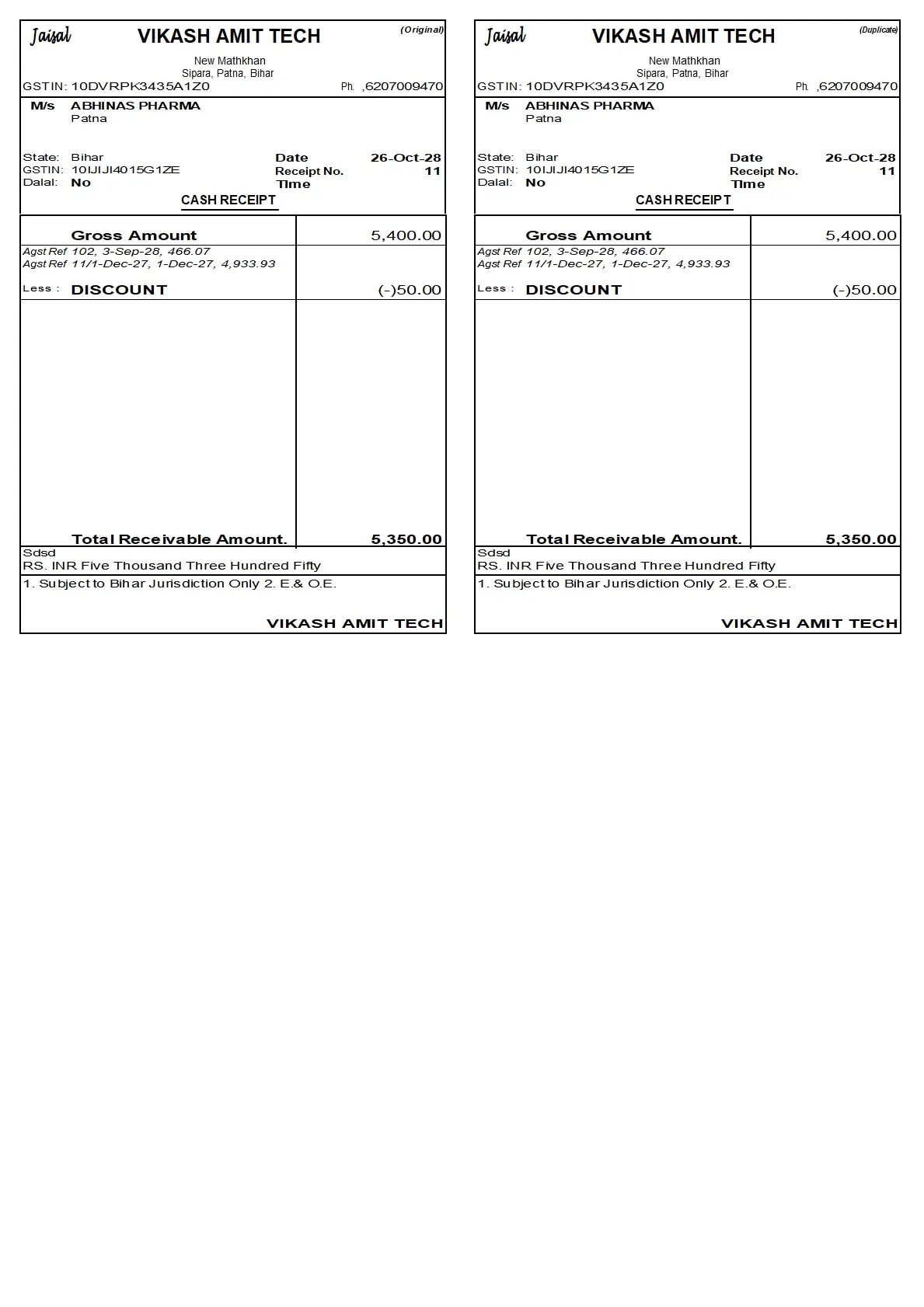
Customize your Tally receipt printing with a professional layout designed to print 2 receipts on a single page.
This Tally Prime TDL customization uses A5 Landscape paper size, with two receipt copies arranged on the same page to make receipt printing convenient and organized.
🔑 KEY FEATURES
1. 🧾 Two Receipts on One Page
Print 2 receipt copies on a single page with a properly arranged layout.
2. 📄 A5 Landscape Paper Size
Designed for A5 Landscape printing with two receipts on the same sheet.
3. 🏢 Company & Party Details
Display company information, party name, GSTIN, address, receipt number, and date.
4. 💰 Receipt Amount Details
Print gross amount, bill reference details, discount, and total receivable amount.
5. 🔢 Amount in Words
Display the final receipt amount in words.
6. 🖨️ Customized Receipt Layout
A clean, structured print format for convenient business record-keeping.
🎯 IDEAL FOR
- Traders and wholesalers
- Distributors
- Businesses issuing cash receipts
- Tally Prime users who want 2 receipts printed on one page
📞 CONTACT – VIKASH AMIT TECH
📱 6207009470 | 7033509470
🌐 Website: https://www.vikashamittech.co.in/
📲 WhatsApp: https://wa.me/message/TTOJQA443MGHO1
📢 Telegram: https://t.me/VA2080