![youtube - [Video]](/web/image/product.image/167/image_128/youtube%20-%20%5BVideo%5D?unique=75e7e77)

- How to Install the TDL File in Tally
- Step 1. Go to Gateway of Tally.
- Step 2. Then Press Ctrl+Alt+T button
- Step 3. Now Press F4 Button or Click on “Manage Local TDL” button
- Step 4. Now do “Yes” to “Load TDL Files on Startup” option
- Step 5. Now in the next line “List of TDL Files to preload on Startup” Enter the TDL File Path or Location Like “E:/File.tcp”
- Step 6. Now save the settings
- Your TDL File is ready to use.
- Tally Prime TDL
Tally TDL Any Report Print & PDF | Fit All Columns on Pages Module
📄 Professional Description
Print wide Tally reports in a compact and professional format with the Tally TDL Any Report Print & PDF Module.
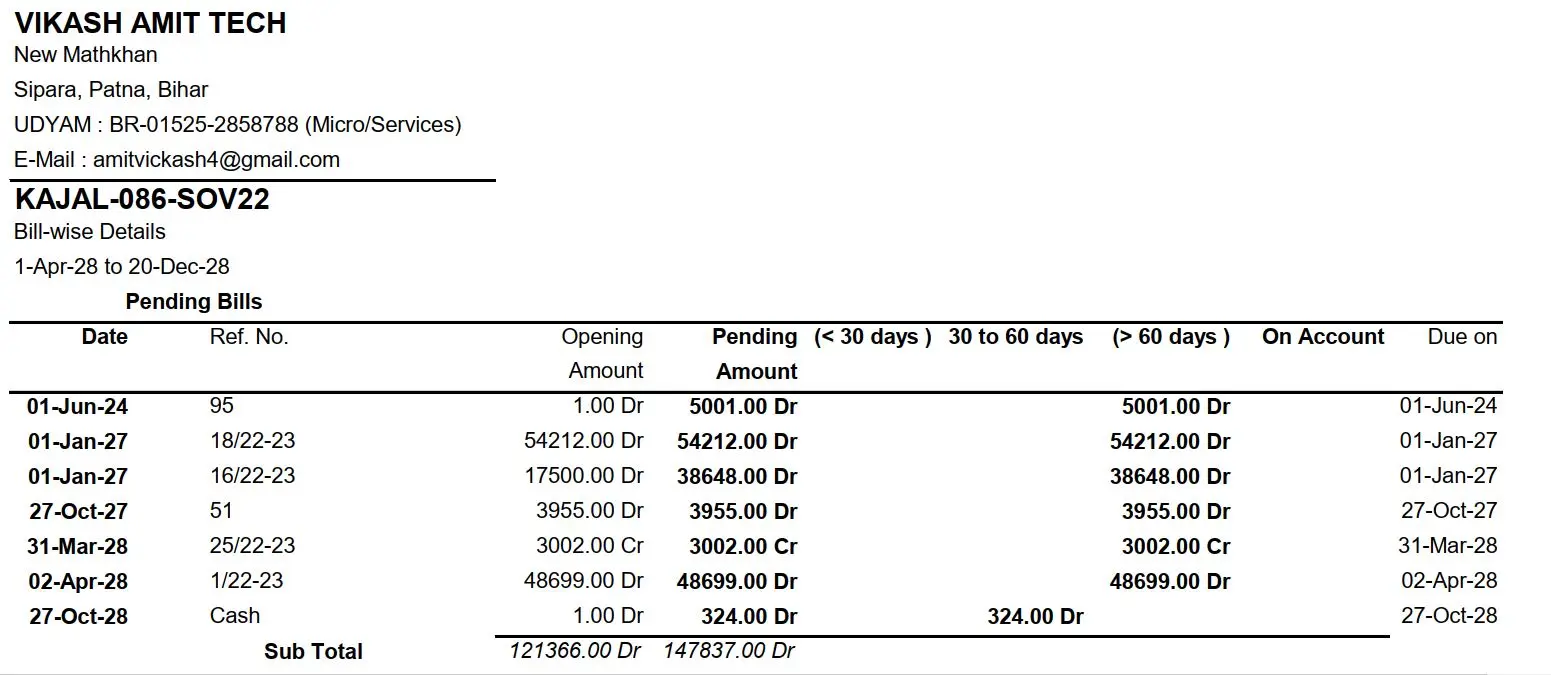
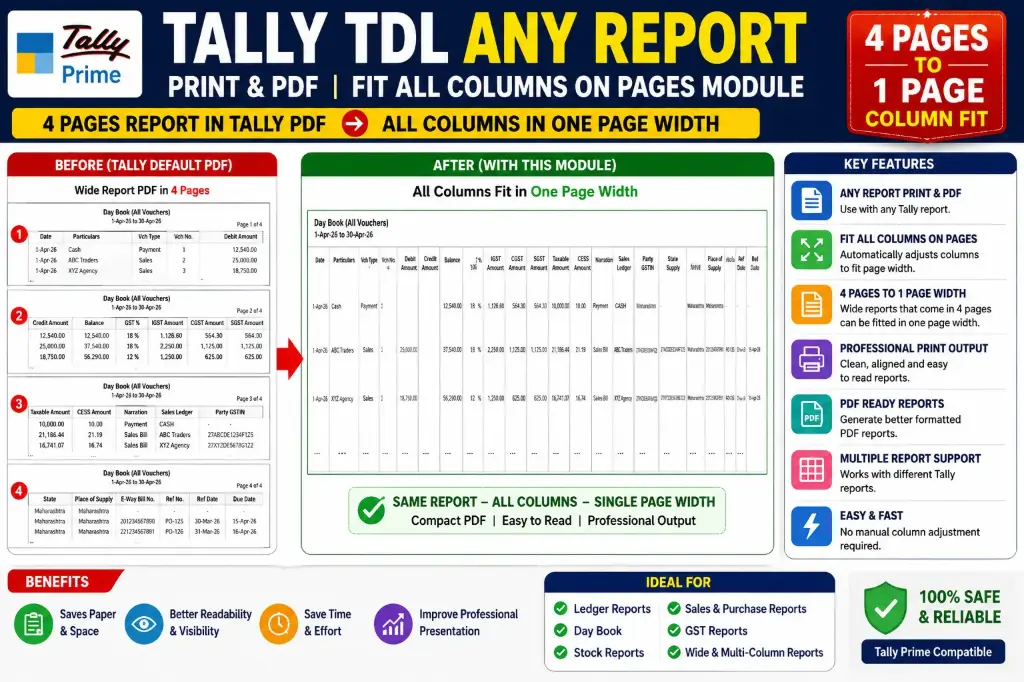
Normally, when a Tally report contains a large number of columns, the PDF may be generated across 4 pages or multiple pages because all columns cannot fit within the available page width.
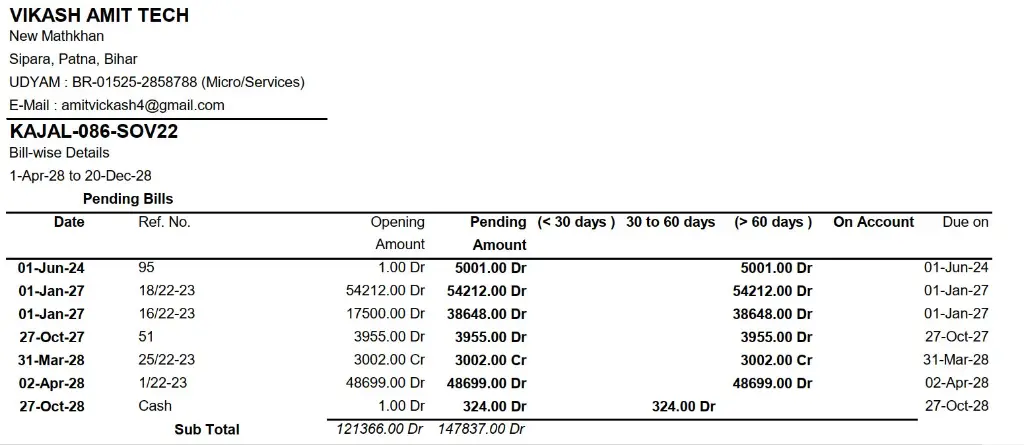
With this module, all report columns can be automatically adjusted and fitted within a single-page width, making the report more compact, clean and easy to read.
🔥 Main Highlight — 4 Pages → 1 Page Width
If a Tally report normally generates a 4-page PDF because of its wide columns, this module helps fit all columns within one page width by automatically adjusting the column layout.
This means you can get a compact PDF/printout without manually adjusting every column.
Wide Tally Report → Automatically Fit All Columns → Single-Page Width PDF
🔑 Key Features
✅ Any Tally Report Print & PDF
Print and generate PDF for Tally reports with improved page formatting.
📄 Fit All Columns on One Page Width
Automatically adjusts report columns to fit within the available page width.
📐 Automatic Column Adjustment
Optimizes column width according to the available printing area.
📑 4 Pages to Single-Page Width
Helps convert wide reports that spread across 4 or more pages into a compact single-page-width format.
🖨️ Professional Print Output
Create cleaner and more readable Tally printouts.
✂️ Reduce Column Cut-Off
Helps prevent important columns from being cut off or printed outside the page area.
📊 Better Report Layout
Makes wide and multi-column reports more compact and organized.
📃 Multi-Page Report Support
Keeps the report content readable while fitting the complete column structure within the page width.
⚡ Easy to Use
No need to manually adjust every column before printing or generating a PDF.
🎯 Useful For
✔ Ledger Reports
✔ Day Book
✔ Stock Reports
✔ Sales & Purchase Reports
✔ Outstanding Reports
✔ GST Reports
✔ Accounting Reports
✔ Custom Tally Reports
✔ Wide & Multi-Column Reports
✔ Tally Print & PDF Requirements
🚀 Key Benefit
Stop wasting multiple pages just because your Tally report has too many columns.
Fit ALL Columns → Reduce Page Width → Generate Compact PDF → Professional Report
Tally TDL Any Report Print & PDF Module — Smart Column Fitting for Better Tally Reports.