![youtube - [Video]](/web/image/product.image/174/image_128/youtube%20-%20%5BVideo%5D?unique=fa3a4a7)

- How to Install the TDL File in Tally
- Step 1. Go to Gateway of Tally.
- Step 2. Then Press Ctrl+Alt+T button
- Step 3. Now Press F4 Button or Click on “Manage Local TDL” button
- Step 4. Now do “Yes” to “Load TDL Files on Startup” option
- Step 5. Now in the next line “List of TDL Files to preload on Startup” Enter the TDL File Path or Location Like “E:/File.tcp”
- Step 6. Now save the settings
- Your TDL File is ready to use.
- Tally Prime TDL
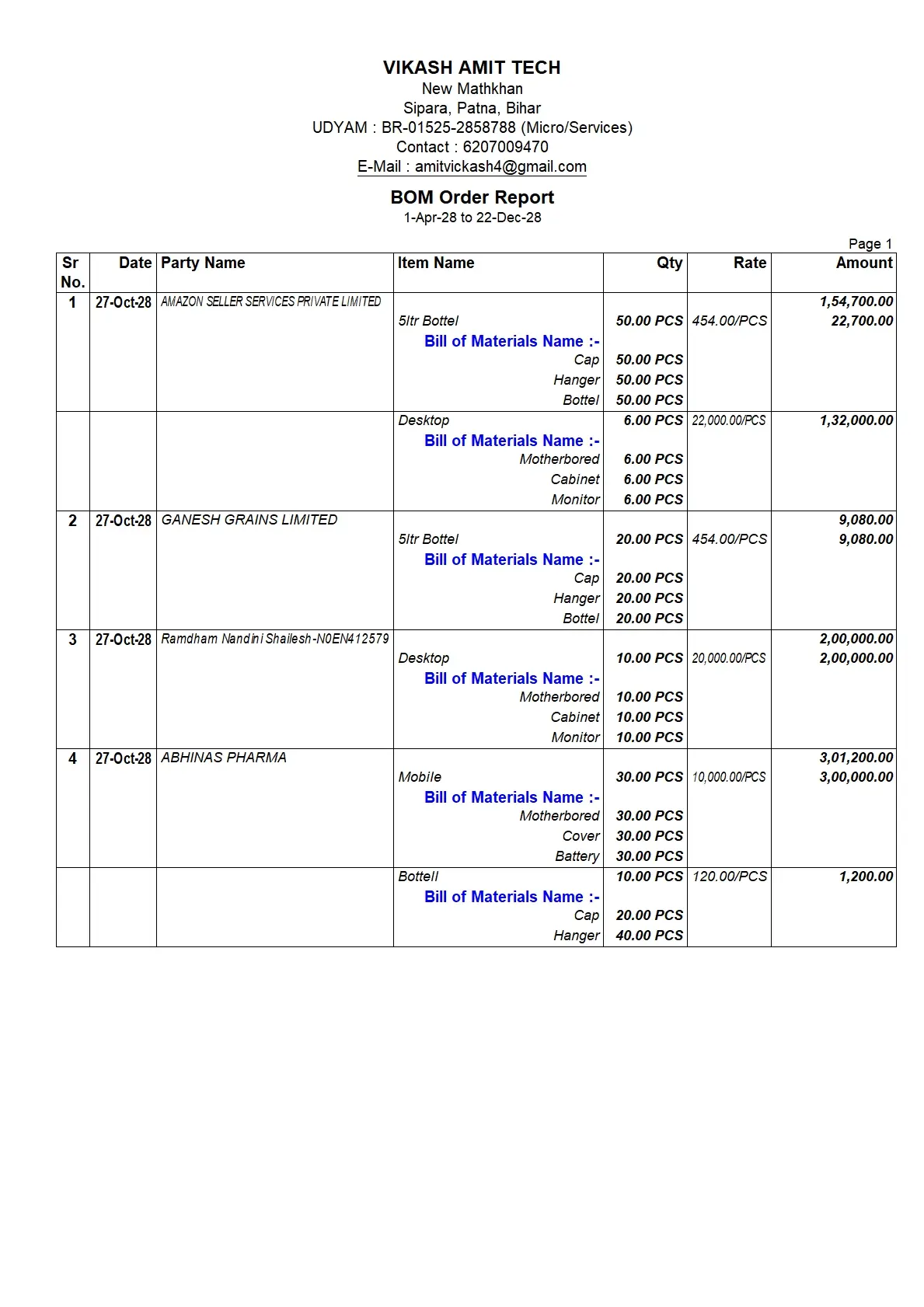
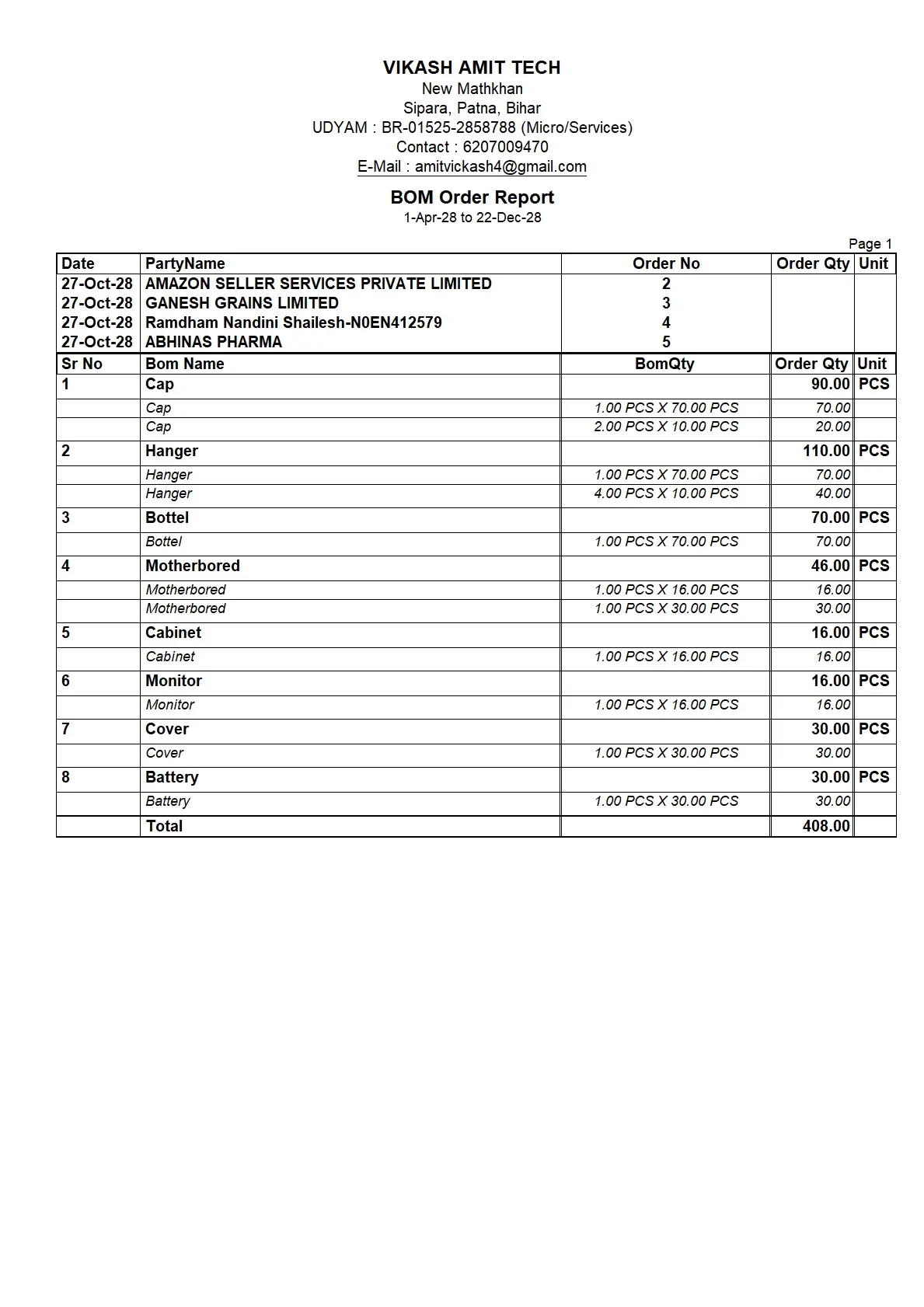
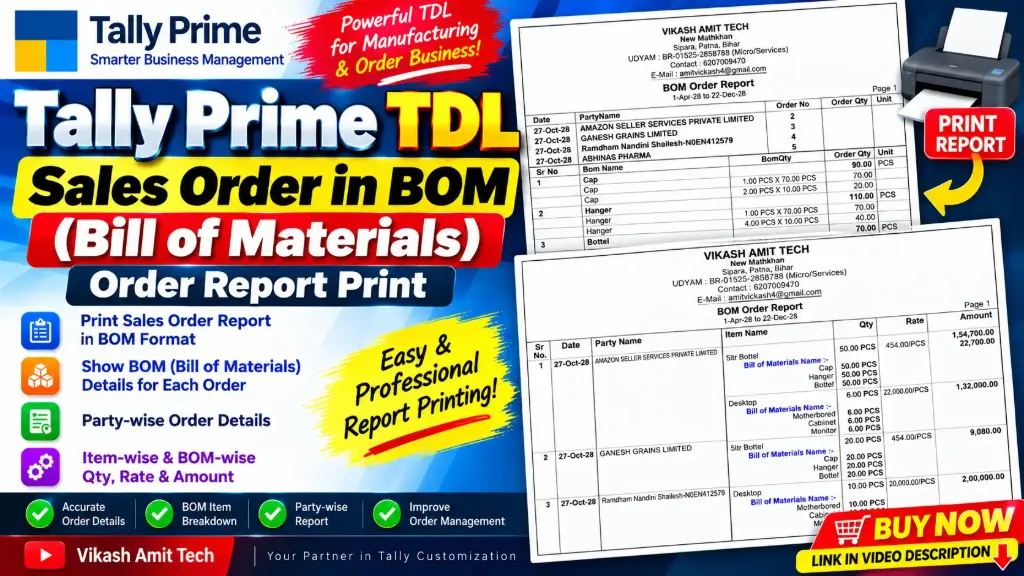
🚀 Print Sales Order BOM Details in Tally Prime with VIKASH AMIT TECH!
Do you want to print Sales Order details along with Bill of Materials (BOM) components in Tally Prime?
The Tally TDL Sales Order in BOM Order Report Print Module provides customized report formats to display sales orders, BOM item details, component quantities, and order information in a structured printable format.
This module includes two report formats to help you review your sales orders and their associated BOM components.
🔑 KEY FEATURES
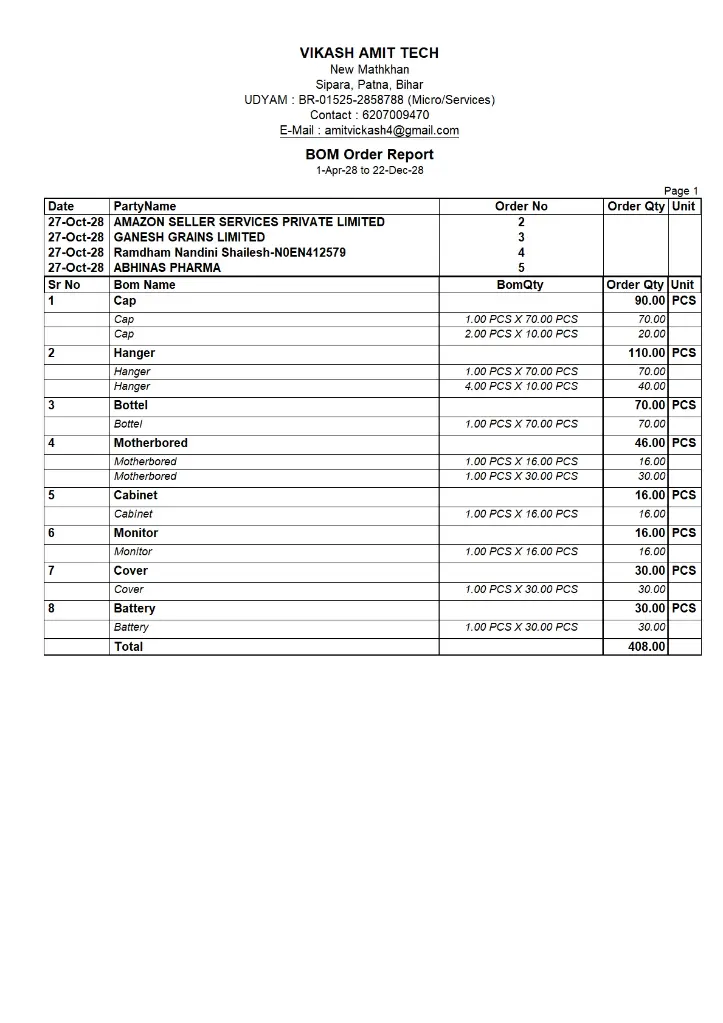
1. 📋 Party-wise BOM Order Report
Print a consolidated BOM Order Report containing:
- Date and Party Name
- Order Number
- Order Quantity and Unit
- BOM Name
- BOM Quantity
- Component-wise quantity breakdown
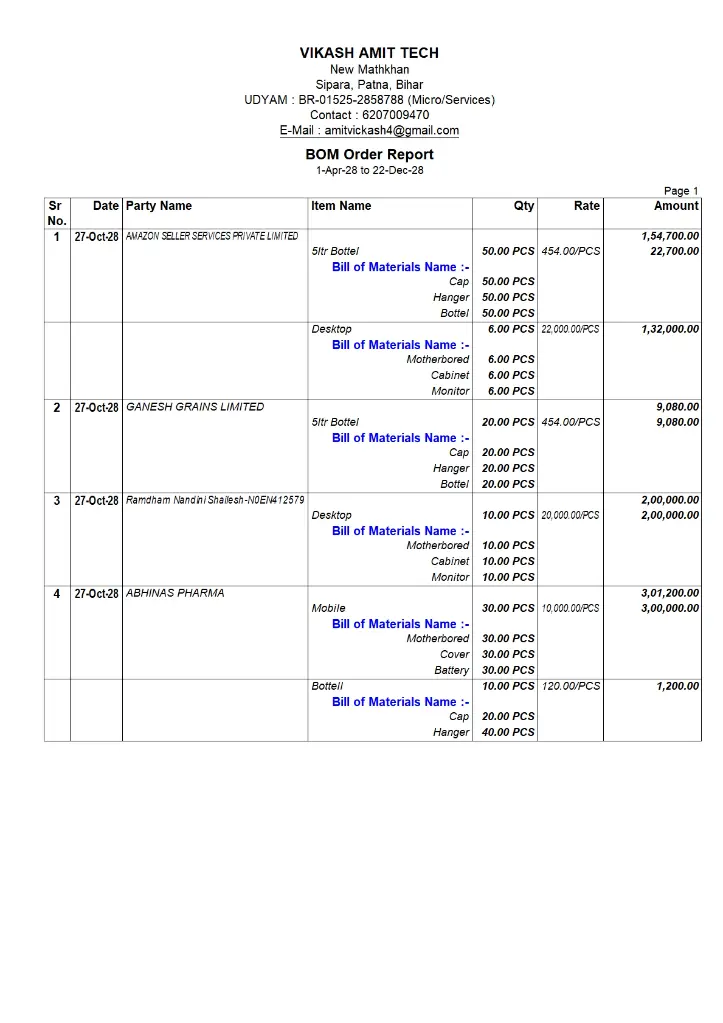
2. 📦 Item-wise Sales Order Report
View and print detailed order information, including:
- Serial Number and Date
- Party Name
- Item Name
- Quantity and Unit
- Rate and Amount
- Bill of Materials Name
- BOM component names and quantities
3. 🧩 BOM Component-wise Quantity Details
View the individual components used in each BOM item along with their respective quantities. This helps you understand the material composition associated with the ordered products.
4. 💰 Order Quantity, Rate & Amount
Review item quantities, rates, line amounts, and order values in the detailed report format.
5. 🖨️ Customized BOM Order Report Printing
Print structured reports for order checking, production planning references, and business record-keeping.
🎯 WHO CAN USE THIS MODULE?
- Manufacturing businesses
- Businesses using Bill of Materials (BOM)
- Sales order processing teams
- Businesses that need item-wise and party-wise BOM order reports
📌 WATCH THE VIDEO
Watch the demonstration to see the Sales Order in BOM Order Report Print TDL Module in action.