![youtube - [Video]](/web/image/product.image/163/image_128/youtube%20-%20%5BVideo%5D?unique=75143a6)
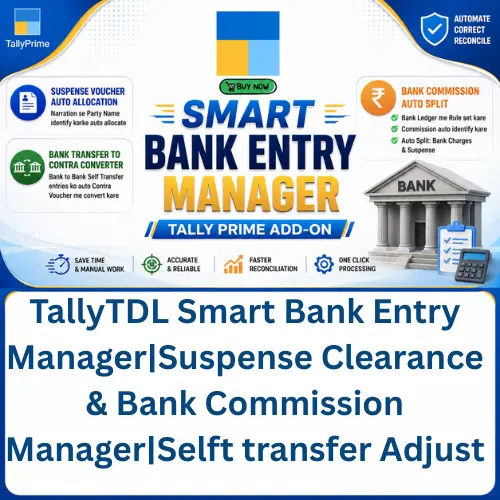
TallyTDL Smart Bank Entry Manager|Suspense Clearance & Bank Commission Manager|Selft transfer Adjust
LifeTime BuyNow Contact us- +91 6207009470
🚀 Smart Bank Entry Manager – Tally Prime Add-on
Are you spending too much time manually correcting bank entries? Not anymore!
Smart Bank Entry Manager is a powerful automation module for Tally Prime that helps you manage and correct bank entries in just a few clicks.
🔥 Features
✅ 1. Suspense Voucher Auto Allocation
- Select multiple Suspense Vouchers at once.
- Automatically identify the Party Name from the voucher narration.
- Correct all selected vouchers with a single click.
✅ 2. Bank Transfer to Contra Conversion
- Automatically convert Bank-to-Bank Self Transfer entries into Contra Vouchers.
- Eliminate the need for manual editing.
✅ 3. Bank Commission Auto Adjustment
- Define bank commission rules in the Bank Ledger.
Example:
- ₹1 – ₹100,000 → ₹4.70
- ₹100,001 – ₹200,000 → ₹14.70
- Automatically identify entries where the bank has deducted commission.
Example:
- Bank Entry: ₹300,023.60
Automatically Split Into:
- Bank Charges: ₹23.60
- Suspense: ₹300,000.00
Complete the entire process with just one click.
💯 Benefits
✔ Save Hours of Manual Work
✔ Reduce Data Entry Errors
✔ Faster Bank Reconciliation
✔ One-Click Processing
✔ Easy Rule-Based Automation
✔ Fully Integrated with Tally Prime
📞 Live Demo & Purchase
VIKASH AMIT TECH
📱 WhatsApp / Call: +91 6207009470
💬 Interested in this TDL? Contact us today for a live demo.
- How to Install the TDL File in Tally
- Step 1. Go to Gateway of Tally.
- Step 2. Then Press Ctrl+Alt+T button
- Step 3. Now Press F4 Button or Click on “Manage Local TDL” button
- Step 4. Now do “Yes” to “Load TDL Files on Startup” option
- Step 5. Now in the next line “List of TDL Files to preload on Startup” Enter the TDL File Path or Location Like “E:/File.tcp”
- Step 6. Now save the settings
- Your TDL File is ready to use.
- Tally Prime TDL
Your Dynamic Snippet will be displayed here...
This message is displayed because youy did not provide both a filter and a template to use.